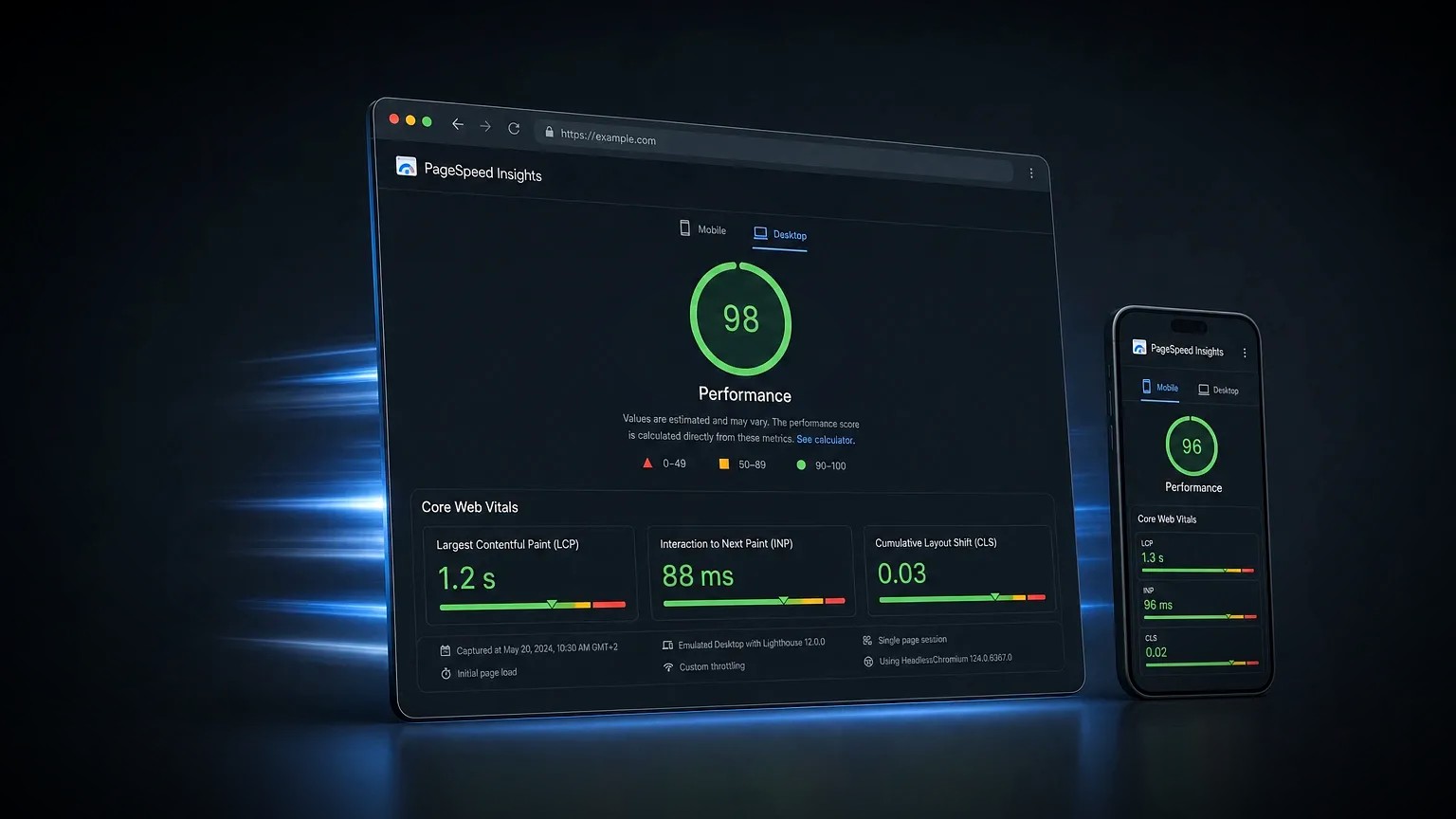
Improving website speed comes down to one principle: send the browser less, and send it later. A fast site downloads fewer and smaller files, defers whatever is not needed for the first view, and renders its main content quickly, which is exactly what Google's Core Web Vitals reward.
Website speed is how quickly a page becomes visible and usable, measured mainly by Google's Core Web Vitals: Largest Contentful Paint for loading, Interaction to Next Paint for responsiveness, and Cumulative Layout Shift for visual stability. Improving speed means cutting page weight, optimising images and code, and removing whatever blocks the first render.
The levers that move website speed the most, in order of impact:
- Images: almost always the biggest single lever. Compress, resize and lazy-load them.
- Fonts and scripts: use fewer and smaller ones, and load them so they do not block rendering.
- Code: lean HTML and CSS, and only the JavaScript a page genuinely needs.
- Caching and delivery: a content delivery network and sensible caching, so repeat views are instant.
- Hosting: a fast server response, which sets the floor for everything above it.
How is website speed measured?
Website speed is measured by Google's Core Web Vitals, a set of three metrics that capture how a page loads, responds and stays stable, backed by real-world field data from Chrome users. Lab tools such as PageSpeed Insights and Lighthouse estimate these metrics on demand, while field data in the Chrome User Experience Report records what real visitors actually experienced, and field data is what Google ranks on.
The three metrics, and the thresholds a page needs to hit, are below. A page has to be in the "good" band on all three, for most visitors, to pass.
| Metric | Good | Needs improvement | Poor |
|---|---|---|---|
| Largest Contentful Paint (LCP) | 2.5 seconds or less | 2.5 to 4 seconds | Over 4 seconds |
| Interaction to Next Paint (INP) | 200 ms or less | 200 to 500 ms | Over 500 ms |
| Cumulative Layout Shift (CLS) | 0.1 or less | 0.1 to 0.25 | Over 0.25 |
Largest Contentful Paint measures how long the main content takes to appear, and is usually decided by the hero image or a large block of text. Interaction to Next Paint measures how quickly the page responds when someone taps or clicks, and is hurt mainly by heavy JavaScript. Cumulative Layout Shift measures how much the layout jumps around as it loads, which is why images and ads need reserved space. Together they describe the experience a visitor feels, not just a lab score. The distinction between lab and field data matters here: a page can score well in a one-off Lighthouse test yet fail in the field, because real devices, networks and third-party scripts behave differently. When the two disagree, the field data drawn from real Chrome users is the version Google acts on, and the version worth fixing for.
How do you improve website speed step by step?
To improve website speed, work through the highest-impact levers in order: images first, then scripts and fonts, then code, caching and hosting, measuring with real field data as you go. Most sites get the largest gains from the first two steps alone.
- Optimise the images. Compress every image, serve it at the size it is displayed, use modern formats such as WebP or AVIF, and lazy-load anything below the fold. Images are the most common cause of a slow Largest Contentful Paint. A single unoptimised hero image can add several seconds on a mobile connection, so it is the first place to look on almost any slow site.
- Tame the JavaScript. Remove scripts that do not earn their place, defer what is not needed immediately, and be ruthless with third-party tags such as chat widgets and trackers, which are a frequent cause of poor responsiveness.
- Streamline fonts. Limit the number of font families and weights, self-host them where possible, and use a swap strategy so text is readable while a font loads rather than invisible.
- Keep the code lean. Ship only the CSS a page uses, avoid heavy page-builder bloat, and reserve space for images and embeds so the layout does not shift.
- Cache and use a CDN. Cache pages and assets, and serve them from a content delivery network so visitors download from a server near them, which cuts load times worldwide.
- Choose fast hosting. Server response time, or time to first byte, sets the floor for every other metric. Cheap, overloaded hosting caps how fast a site can ever be.
- Measure with field data. Track Core Web Vitals from real visitors, not just a one-off lab test, so you improve the experience people actually have.
Can you get a fast website on cheap or shared hosting?
Yes, you can build a genuinely fast website on cheap or shared hosting, because most speed wins live in the front end, not the server. Optimised images, lean code, careful fonts and good caching will pass Core Web Vitals on modest hosting far more often than people expect.
Hosting still sets a floor, though. A slow, overloaded shared server produces a high time to first byte, and no amount of front-end work fully hides a slow first response. The practical approach on a budget is to do the front-end work properly, add a content delivery network and full-page caching to take pressure off the server, and upgrade the hosting only when the server response, rather than the page weight, is the thing holding the site back. For most small business sites, that order of priorities delivers a fast experience without an expensive hosting bill.
What are the biggest causes of a slow website?
The biggest causes of a slow website are heavy images, too much JavaScript, render-blocking resources and slow hosting, usually in that order. Each adds either weight the browser must download or work it must finish before the page becomes usable.
- Oversized images: full-resolution photos served into small spaces, the most common single cause of a slow load.
- Too much JavaScript: large bundles and third-party scripts that delay how quickly a page can respond.
- Render-blocking CSS and fonts: styles and fonts that the browser must fetch before it can show anything.
- Slow hosting: a high time to first byte that delays the very start of the load.
- Plugin and builder bloat: on WordPress especially, too many plugins and heavy page-builder output that ship unused code.
- Unsized media: images, ads and embeds without reserved space, which cause the layout to jump and hurt Cumulative Layout Shift.
How does website speed affect SEO and conversions?
Website speed affects both SEO and conversions, which is why it earns priority rather than being treated as a final polish. Google uses Core Web Vitals as a ranking signal, so a fast page has an edge in search results, and both search engines and AI answer engines crawl and render quick pages more reliably than slow ones.
The conversion effect is larger still. Every extra second before a page becomes usable loses visitors, and the drop is steepest on mobile, where connections are slower and patience is shorter. Studies across retail and lead generation consistently link faster pages to lower bounce rates and higher conversion, because speed is the first thing a visitor experiences, before a single line of copy is read. For a business that makes speed one of the highest-return improvements available: it lifts rankings, keeps more of the traffic already being paid for, and raises the return on every pound spent driving people to the site.
Your website speed checklist
Before judging a site fast, check it against the points below, and confirm the result with real field data rather than a single lab score.
- Every image is compressed, correctly sized, in a modern format and lazy-loaded below the fold.
- JavaScript is minimal, deferred where possible, and third-party scripts are kept to the essentials.
- Fonts are limited, self-hosted where possible, and set to stay visible while loading.
- Only the CSS a page uses is shipped, with no heavy builder bloat.
- Caching and a content delivery network are in place.
- Hosting delivers a fast server response.
- Images and embeds have reserved space, so nothing shifts as the page loads.
- Core Web Vitals are measured from real visitors and sit in the "good" band.
Website speed is not a one-off task but a budget you protect on every page: send less, send it later, and measure what real visitors feel. Get it right and the site loads fast, ranks better and converts more, because speed is the first thing a visitor experiences, and speed is designed into every website build from the first commit.
Frequently asked questions
How do you improve website speed?
To improve website speed, start with the highest-impact levers: compress and correctly size images, cut and defer JavaScript, limit fonts, ship only the CSS a page uses, add caching and a content delivery network, and choose fast hosting. Then measure Core Web Vitals from real visitors and fix whatever still falls short.
What are Core Web Vitals?
Core Web Vitals are Google’s three metrics for page experience: Largest Contentful Paint (how fast the main content loads), Interaction to Next Paint (how quickly the page responds to input) and Cumulative Layout Shift (how much the layout moves as it loads). A page should be in the "good" band on all three.
What is a good page load speed?
A good page load speed hits the Core Web Vitals thresholds: Largest Contentful Paint of 2.5 seconds or less, Interaction to Next Paint of 200 milliseconds or less, and Cumulative Layout Shift of 0.1 or less, for most real visitors. Those targets matter more than any single overall load-time number.
Why is my website slow?
Most slow websites are slow because of oversized images and too much JavaScript, followed by render-blocking CSS or fonts and slow hosting. On WordPress, too many plugins and heavy page-builder output are common culprits. Testing the page in PageSpeed Insights will usually point to the specific cause, and if you would like it fixed properly, get in touch.
Does website speed affect SEO?
Yes. Website speed affects SEO directly, because Core Web Vitals are a Google ranking signal, and indirectly, because slow pages lose visitors before they convert. Fast pages are also easier for search engines and AI answer engines to crawl and render, so speed supports both rankings and conversions.