Planning a website project means deciding its goal, content, scope, structure, budget and platform before any design or code begins. Website projects rarely fail during the build; they fail when that planning is rushed, which is how a two-month timeline quietly becomes six.
Planning a website project is the work of agreeing what the site must achieve, and how, before design or development starts: its single goal, primary audience, content, scope, structure, budget, timeline and platform. Done properly, it prevents most delays, overspend and scope creep.
A sound plan answers eight questions before anyone opens a design tool:
- Goal: the one business outcome the website exists to produce.
- Audience and action: who the primary visitor is, and the single action you want them to take.
- Content: what each page says, and who writes it, by when.
- Scope: what the project includes, and just as clearly what it does not.
- Structure: the sitemap and the main visitor journeys.
- Budget and timeline: realistic, with contingency and time for content and testing.
- Platform: matched to whoever will maintain the site.
- Measurement: SEO, performance and analytics, planned in from the start.
How do you plan a website project step by step?
To plan a website project, work in order: define one business goal, identify the primary visitor and the action you want, plan the content and its owner, agree the scope, map the structure, then decide the budget, timeline and platform. Planning in that sequence removes the two biggest causes of failure, unclear scope and missing content.
- Start with one goal. Write the single outcome the site must produce, more enquiries, online sales, booked calls, fewer support emails, in a sentence a stranger would understand. Every later decision is measured against it, and anything that does not serve it becomes a candidate to cut. It is the filter to return to whenever the temptation to add one more feature appears.
- Define the visitor and the action. Name the primary visitor and the one action you most want them to take, then design the whole site to make that action easy. A page with one clear job outperforms a beautiful one with none.
- Plan the content, and who owns it. Content is the single biggest cause of delay, because a design cannot be finished around copy that does not exist yet. Decide page by page what each page says, who writes it and by when, and be honest about who actually has time to write. It also helps to separate the copy that sells, the home, services and about pages, from the copy that informs, such as guides and support, because the two need different care and often different authors.
- Agree the scope. List what the project includes and, just as importantly, what it does not. Writing an explicit "not this time" list is the step people skip and the most valuable one, because it turns scope creep into a planned phase two rather than a mid-project crisis.
- Map the structure. Sketch a simple sitemap and trace the main journeys a visitor takes. Keep the top-level navigation short, most sites need far fewer menu items than they start with, and make sure each journey reaches its goal in as few clicks as possible. A clear structure also helps search engines and AI answer engines understand the site, and sketching it on paper first is far cheaper than discovering a structural problem once the pages are built.
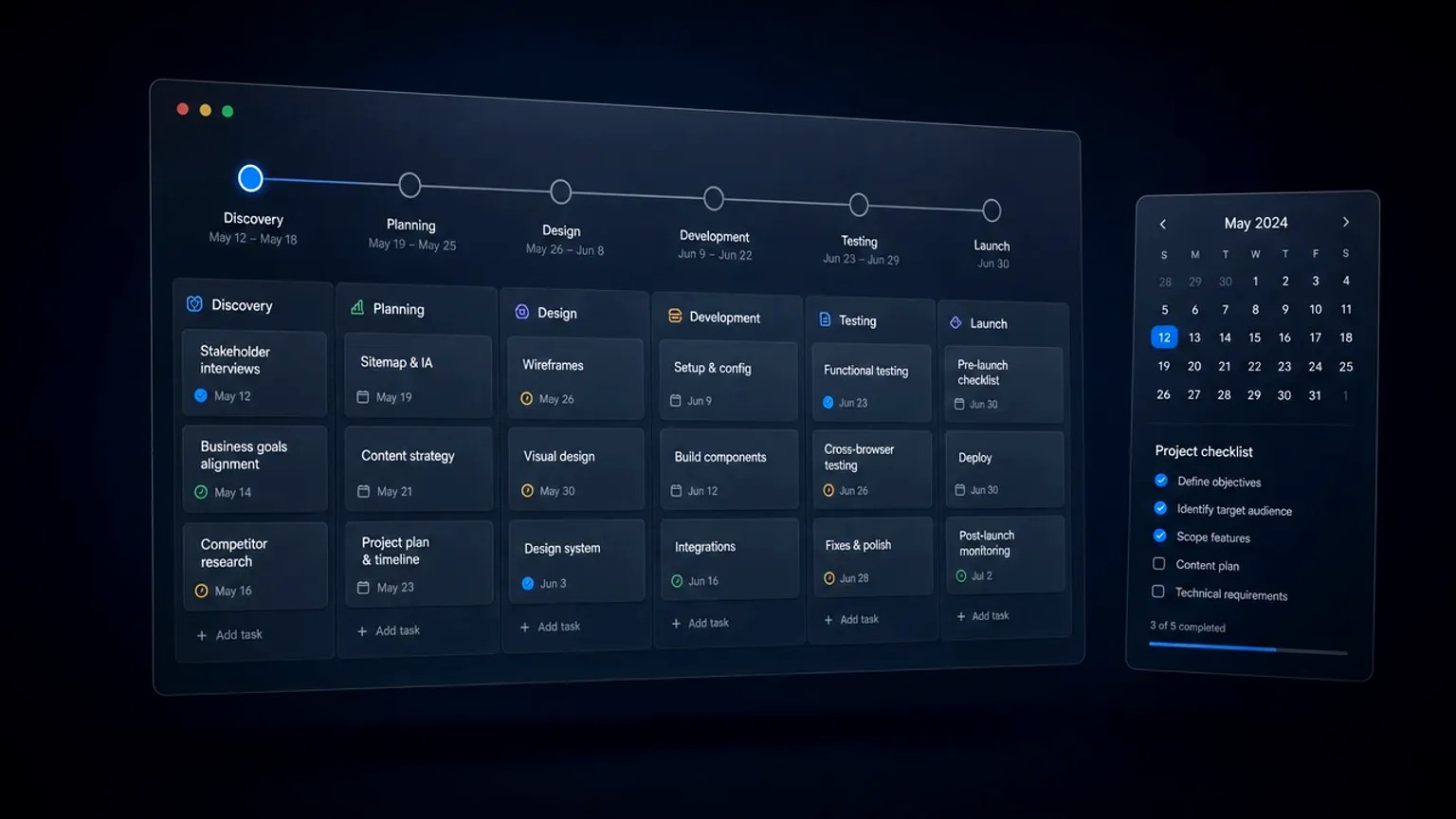
- Set budget, timeline and platform. Break the work into stages, discovery, design, build, content load, testing and launch, add 15 to 20 per cent contingency, and choose the platform around who will maintain the site.
Why do website projects run over time and budget?
Website projects overrun mainly because of unclear scope and missing content, not the build itself. When "done" is not defined, features creep in and revisions multiply; when copy is not ready, the design stalls waiting for it. Both are planning failures, and both are avoidable with a little discipline up front.
Three habits keep a project on track:
- Write the scope down, including exclusions. An agreed "not this time" list lets everyone defer new requests without friction, and it protects both the budget and the deadline.
- Assign content deadlines early. Treat copy, images, testimonials and approvals as tasks with named owners and dates, not as something that will happen later. If writing is a bottleneck, plan for shorter copy or an AI-assisted first draft that a human edits.
- Add contingency and phase the work. A sensible buffer absorbs the surprises every project has, and launching a strong smaller version beats waiting a year for a "complete" site that never quite arrives.
Projects that build these habits in from the first conversation rarely suffer the late scramble that sinks so many launch dates.
How do you turn the plan into a brief the team can follow?
A plan that lives in one person's head is not a plan. Once the goal, content, scope, structure, budget and platform are settled, capture them in a short written brief that every stakeholder reads and signs off. A page or two is usually enough. A useful website brief records the goal and the primary audience, the agreed scope with its "not this time" list, the sitemap, the content plan and its deadlines, the budget and timeline, and how success will be measured after launch.
The value of a brief is not paperwork, it is a shared point of reference that keeps a project honest. When a new request appears mid-build, the brief settles in seconds whether it is in scope or a phase-two idea. When three people remember the goal differently, the brief is the version of record. Sign it off before any design begins, share it with everyone who touches the project, and revisit it at each stage rather than letting it gather dust.
Which platform should you choose for the project?
The platform should come out of the plan, not drive it, and the deciding question is practical: who will edit the site after launch, and how often? The table below maps the common choices to when each is the right call.
| Approach | When it is the right call |
|---|---|
| WordPress with Elementor Pro | Non-technical people need to publish and update the site regularly and want full control without going back to a developer. |
| Astro with a headless CMS | Speed, security and low maintenance matter most, and the content changes relatively rarely. |
| A hybrid of the two | The site needs both frequent editing and strong performance, and the budget allows a more considered build. |
Whatever the choice, the site should be built so the layout stays intact when someone edits the words, and you should end up owning the hosting, the domain and the content rather than depending on whoever built it. Cost and timeline follow from this choice too: a page-builder site is usually faster and cheaper to launch, while a headless build costs more up front and repays it in speed and lower maintenance. That ownership, whichever route you take, is part of what a well planned website build delivers.
What are the most common website planning mistakes?
The most common website planning mistakes are skipping the goal, underestimating content, leaving scope vague, and choosing a platform by reputation rather than fit. Each one stays hidden during planning and surfaces later as a delay, an overspend, or a site that does not convert.
- No single goal: a site that tries to do everything does nothing well.
- "We will write the copy later": the fastest way to stall a build for months.
- Undefined scope: the open door through which budgets quietly leak.
- Platform chosen by name, not fit: picking a tool before knowing who will maintain the site.
- No time for testing or revisions: treating essential stages as optional, then missing the launch date.
Your website planning checklist
Before any design or development begins, you should be able to answer yes to each of these. If you can, the build becomes the straightforward, predictable part of the project.
- The single business goal is written down and everyone agrees on it.
- The primary visitor and the main action are defined.
- Content ownership and deadlines are assigned, page by page.
- Scope is agreed, including an explicit "not this time" list.
- The sitemap and the key journeys are sketched.
- Budget and timeline include contingency and time for content and testing.
- The platform matches who will maintain the site.
- SEO, performance and analytics are part of the plan, not an afterthought.
Planning a website project well turns an unpredictable, stressful process into a calm, sequenced one, and it produces a website that was designed to do a job rather than simply to exist.
Frequently asked questions
How do you plan a website project?
To plan a website project, work in order: define one business goal, identify the primary visitor and the main action, plan the content and who writes it, agree the scope, map the structure, then set a budget, timeline and platform. Planning in that sequence prevents most delays and overspend.
What should you decide before building a website?
Before building a website, decide the business goal, the primary visitor and the single main action, the content and who owns it, and the agreed scope. Those decisions make design and development far easier and cheaper, because the build then serves a defined purpose rather than guessing at one.
Why do website projects run over time and budget?
Website projects run over mainly because of unclear scope and missing content, not the build itself. When "done" is not defined, features creep in and revisions multiply, and when copy is not ready, the design stalls. Agreeing scope in writing and assigning content deadlines up front removes both causes.
How do you plan a website structure?
Plan a website structure by working from the visitor inwards. List the pages and how they nest into a simple sitemap, keep the top-level navigation short, and trace the main journeys a visitor takes to reach what they need. A clear structure also helps search engines, as Google’s SEO Starter Guide explains, and if you would like help mapping yours you can get in touch.
Do you need to plan content before building a website?
Yes. Content is the most common reason website projects stall, because a design cannot be finished around copy that does not exist. Decide page by page what each page says, who writes it and by when, before the build starts, and treat content as scheduled tasks with owners and deadlines.